How to pay for AI in Nepal with eSewa, Khalti or your bank
No international card? A step-by-step guide to paying for an AiFevo plan in Nepalese rupees with eSewa, Khalti or a bank QR, and what happens next.
By AiFevo Team · · Updated
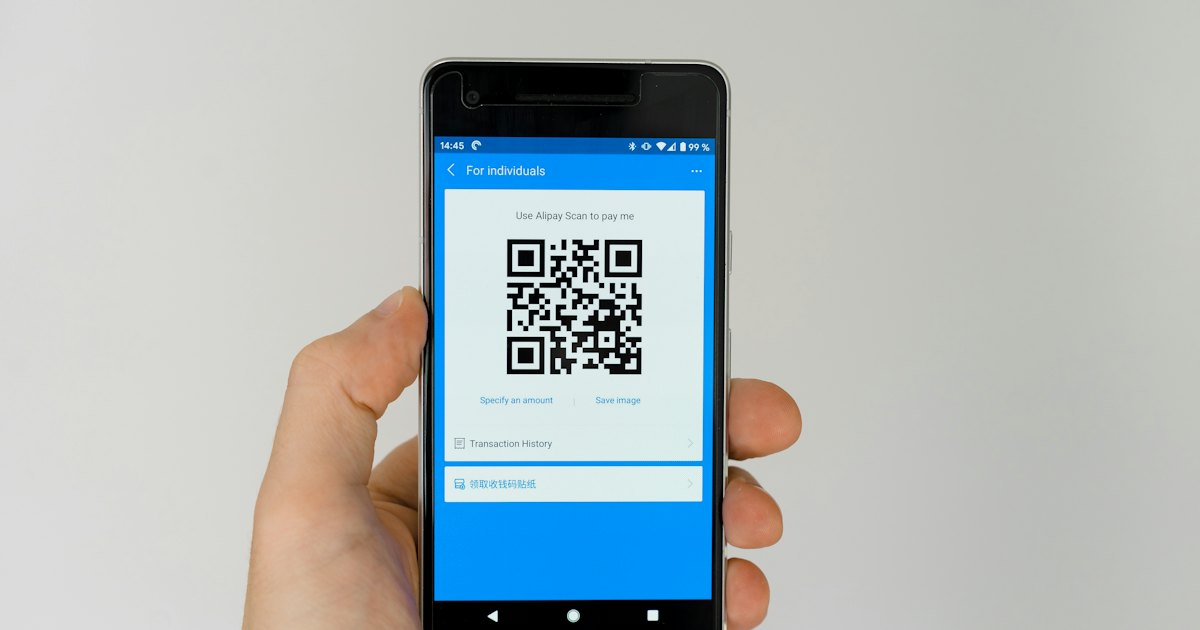
Quick answer: You don't need an international card to pay for AI in Nepal. AiFevo is priced in Nepalese rupees. Pick a plan, scan the QR code with eSewa, Khalti or your mobile banking app, upload the payment screenshot, and your plan starts once the team confirms it. Plans never renew automatically.
For many people in Nepal, the hardest part of using a paid AI tool isn’t learning how it works. It’s paying for it. Most AI apps bill in US dollars and expect an international card, which not everyone has, and which comes with dollar limits and changing exchange rates.
AiFevo is priced in Nepalese rupees and you pay the way you already pay for everything else: with a QR code. Here’s exactly how it works.
Before you start
- Create a free account first. You can use AiFevo on the free plan with a daily message allowance, no card or payment needed.
- Pick your plan. You can compare the plans and their prices on our pricing page. Every price is in NPR, and one AI subscription instead of many explains why that matters.
Step by step
1. Choose a plan
In the app, open Upgrade plan from your account menu (it also appears when you try something your plan doesn’t include) and select the plan you want.
2. Choose how you’ll pay
You’ll see the ways to pay, such as eSewa, Khalti or a bank transfer. Each shows a QR code and the details you need.
3. Scan and pay
Open eSewa, Khalti or your mobile banking app, scan the QR code and pay the amount shown for your plan.
4. Upload your payment screenshot
Take a screenshot of the confirmation screen in your payment app. It should show the amount and the date. Upload it on the same page in AiFevo.
5. Wait for confirmation
Our team checks the payment and confirms it. Your plan starts once the payment is confirmed, and AiFevo shows how many days you have left.
Things worth knowing
Plans never renew automatically
Nothing is taken from your account without you choosing to pay. When your plan’s time is up, you move back to the free plan, and you can pay again whenever you like. You won’t find a “cancel subscription” maze, because there’s nothing to cancel.
Keep your screenshot
Keep the payment screenshot until your plan shows as active. If anything looks wrong, it’s the fastest way for us to find your payment.
What if my plan hasn’t started?
Confirmation is done by a person, so it isn’t always instant. If it’s taking longer than you expected, message us through Help & support in the app, or use our contact form. Include the email on your account and the date you paid.
What you get on a paid plan
Paid plans add more room and more tools on top of the free plan. Depending on the plan, that includes:
- a much larger daily allowance,
- access to more of the 27 AI models, including premium ones,
- web search with sources you can open,
- attaching PDFs, Word documents and photos to your questions,
- and creating and editing images in Image Studio.
The pricing page always shows exactly what each plan includes today. Once you’re set up, our guides to using AI in Nepali and AI for students in Nepal are good places to start.
Why we chose QR payments
We wanted AiFevo to be easy to pay for from anywhere in Nepal, with the apps people already trust. QR payments with eSewa, Khalti and bank apps work for almost everyone, and your card details are never part of it.
Frequently asked questions
Do I need an international card to pay for AiFevo?
No. AiFevo is priced in Nepalese rupees and paid for with eSewa, Khalti or a bank QR code, the same way you’d pay for most things locally. No international card or dollar billing is involved.
How long does payment confirmation take?
Our team checks and confirms payments by hand, so it isn’t always instant. Most are confirmed quickly, but if yours is taking longer than expected, message us through Help & support in the app or the contact form with your account email and the date you paid.
What happens when my plan’s time runs out?
You move back to the Free plan automatically. Nothing is charged without you choosing to pay again, and there’s no subscription to remember to cancel.
Can I try AiFevo before paying anything?
Yes. Create a free account first and use the daily message allowance with no card needed. Pay only once you decide you want more models, web search, uploads or image creation.
What if I pay the wrong amount or scan the wrong QR?
Keep your payment screenshot and contact us through Help & support or the contact form with the details. Because confirmation is done by a person, mistakes like this can usually be sorted out directly.
Ready to try it? Start free, and upgrade only when you need more.